Rendered by CaptionRoom's own caption engine — what you see is what it exports.
A free video editor that opens in a browser tab, with AI captions that speak your language. Film in Croatian, Spanish or Hindi and get word-perfect karaoke captions, not the English-only kind.
Free. Runs in Chrome, Edge, Brave or Arc. Nothing to install.
- Free to edit
- No credit card, no watermark.
- Stays on your device
- Only compact audio is sent to caption.
- 99+ languages
- Film in yours, not just English.
Captions in 99+ languages, including
Hrvatski, Español, हिन्दी, Deutsch, 日本語, Português, العربية, Français, 한국어, Italiano, Українська, Türkçe, 中文, Polski, ไทย, Nederlands, Tiếng Việt, Ελληνικά, Svenska, বাংলা, Čeština, Română, עברית, Magyar, தமிழ், Bahasa Indonesia, Dansk, Srpski, Suomi, Kiswahili, Slovenščina, Norsk
Eight tools. One tab. Zero uploads.
This is CaptionRoom itself, a real timeline editor that runs in your browser on your own hardware, not an upload form in front of a render queue. Scroll through the tools; every frame is a screenshot of the app.
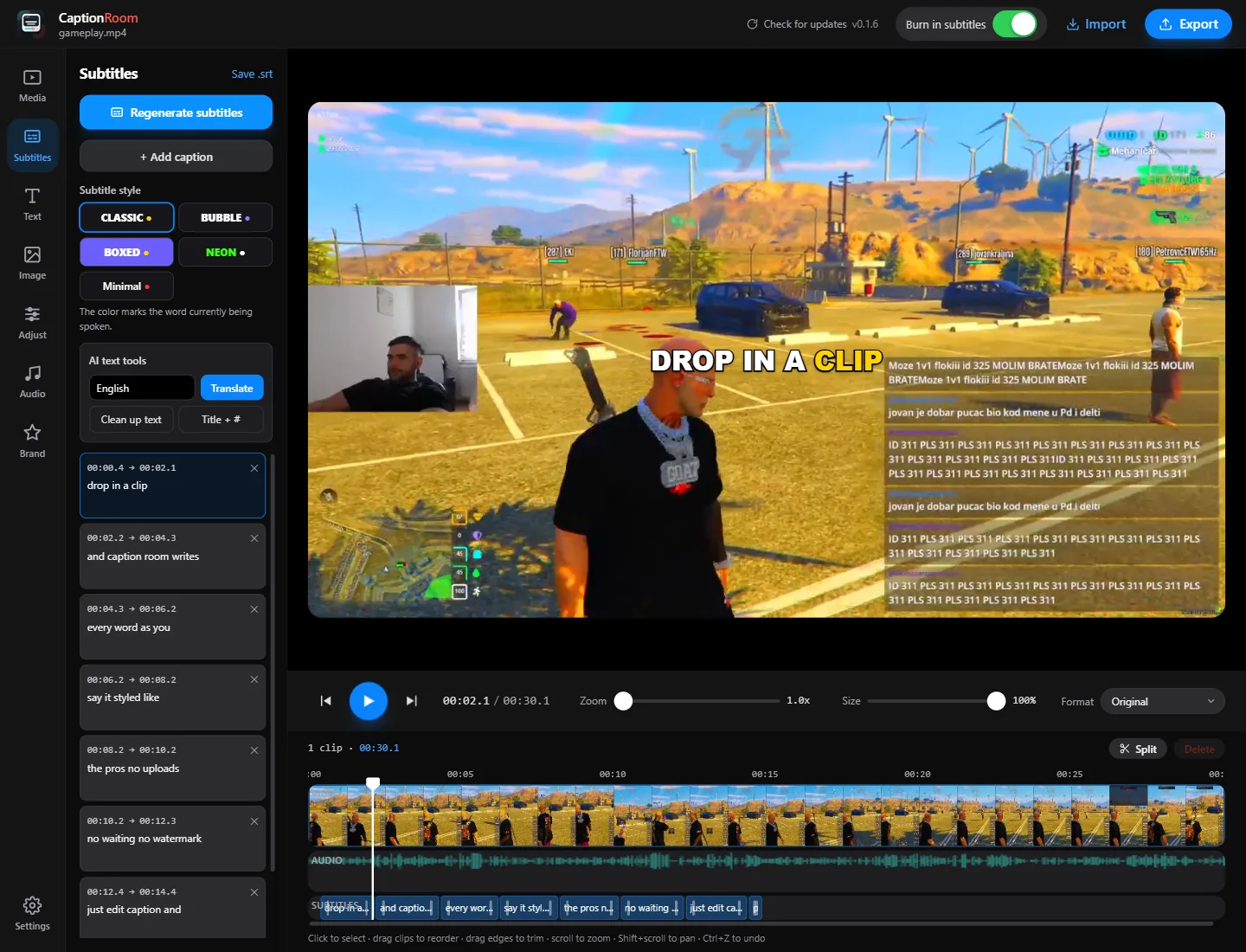
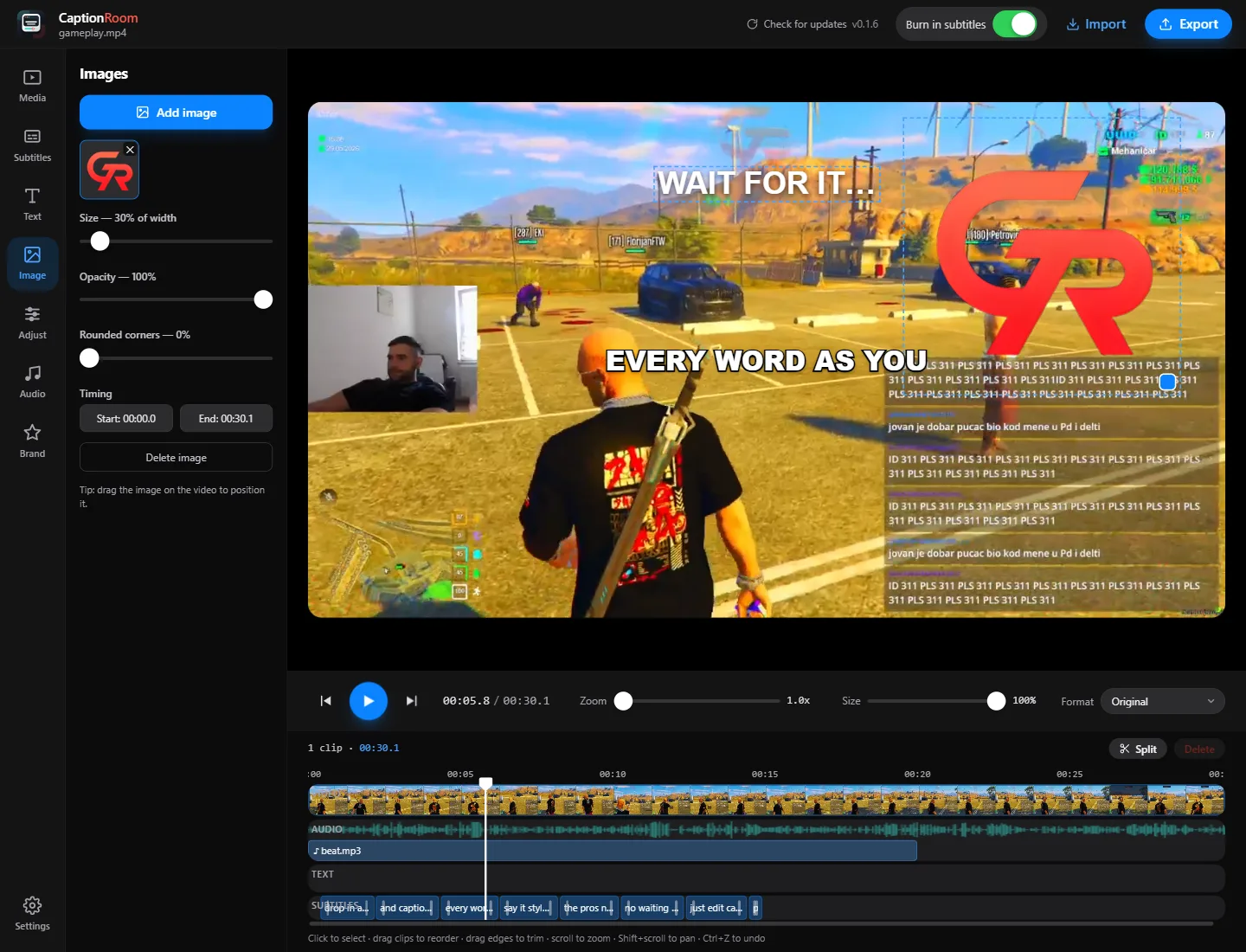
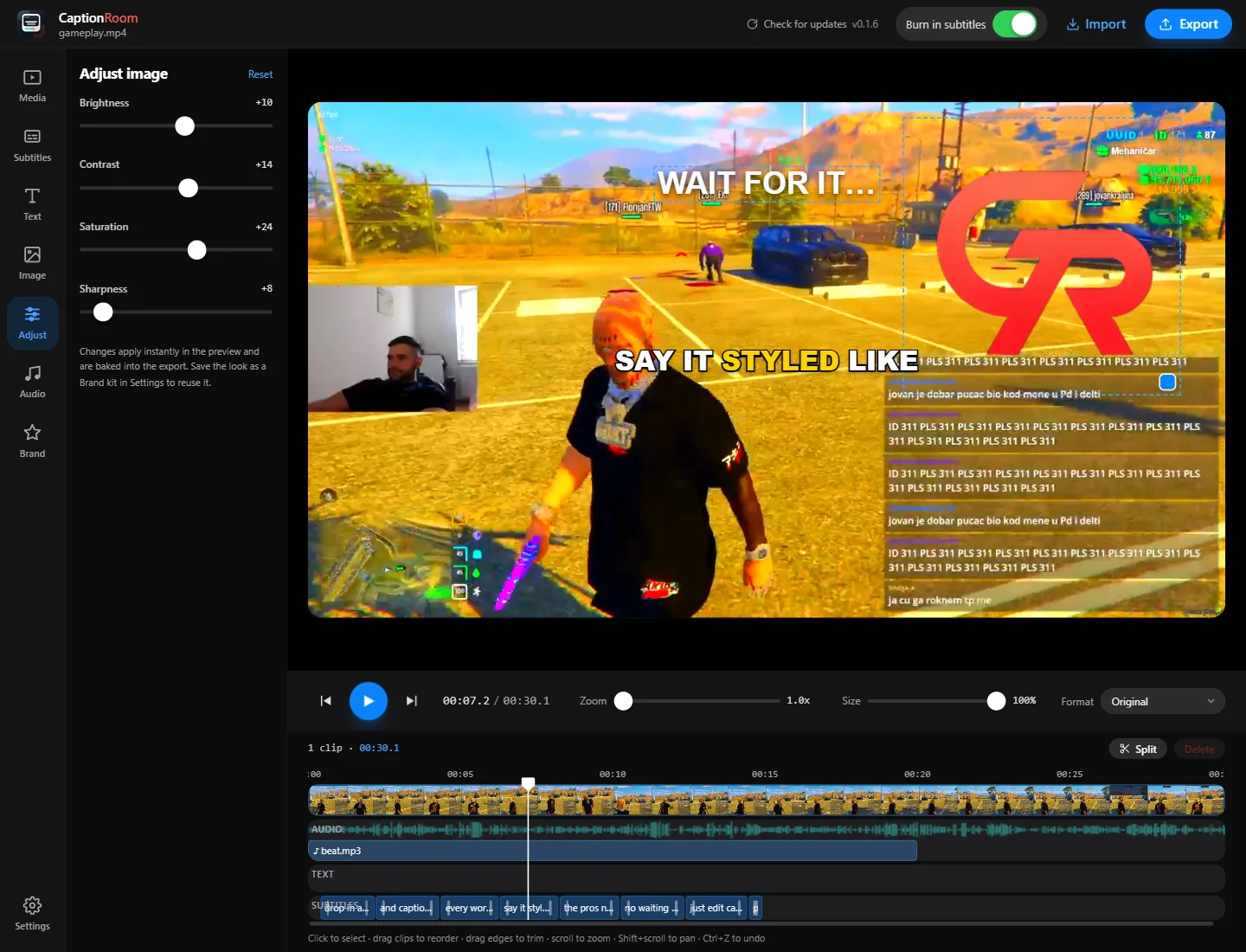
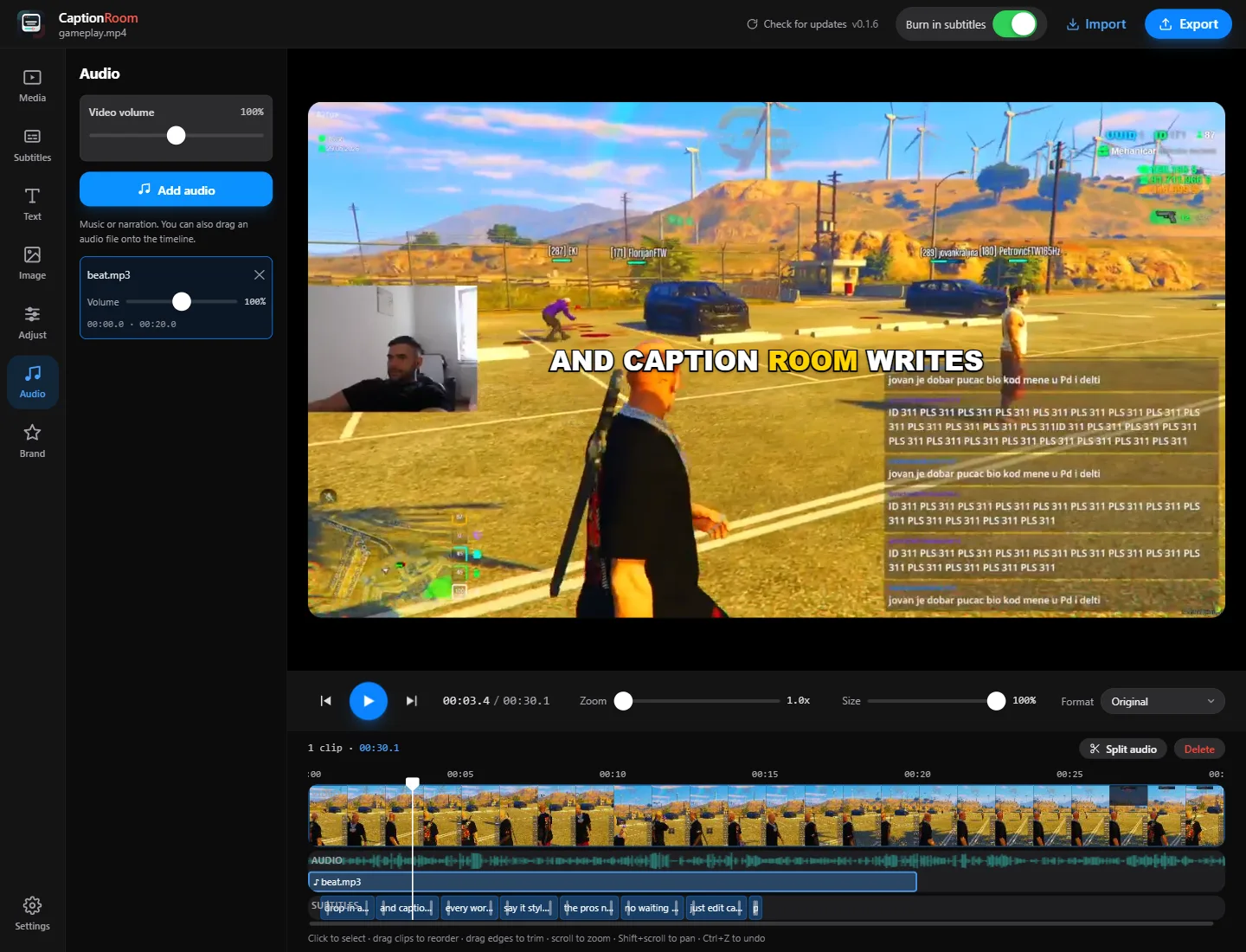
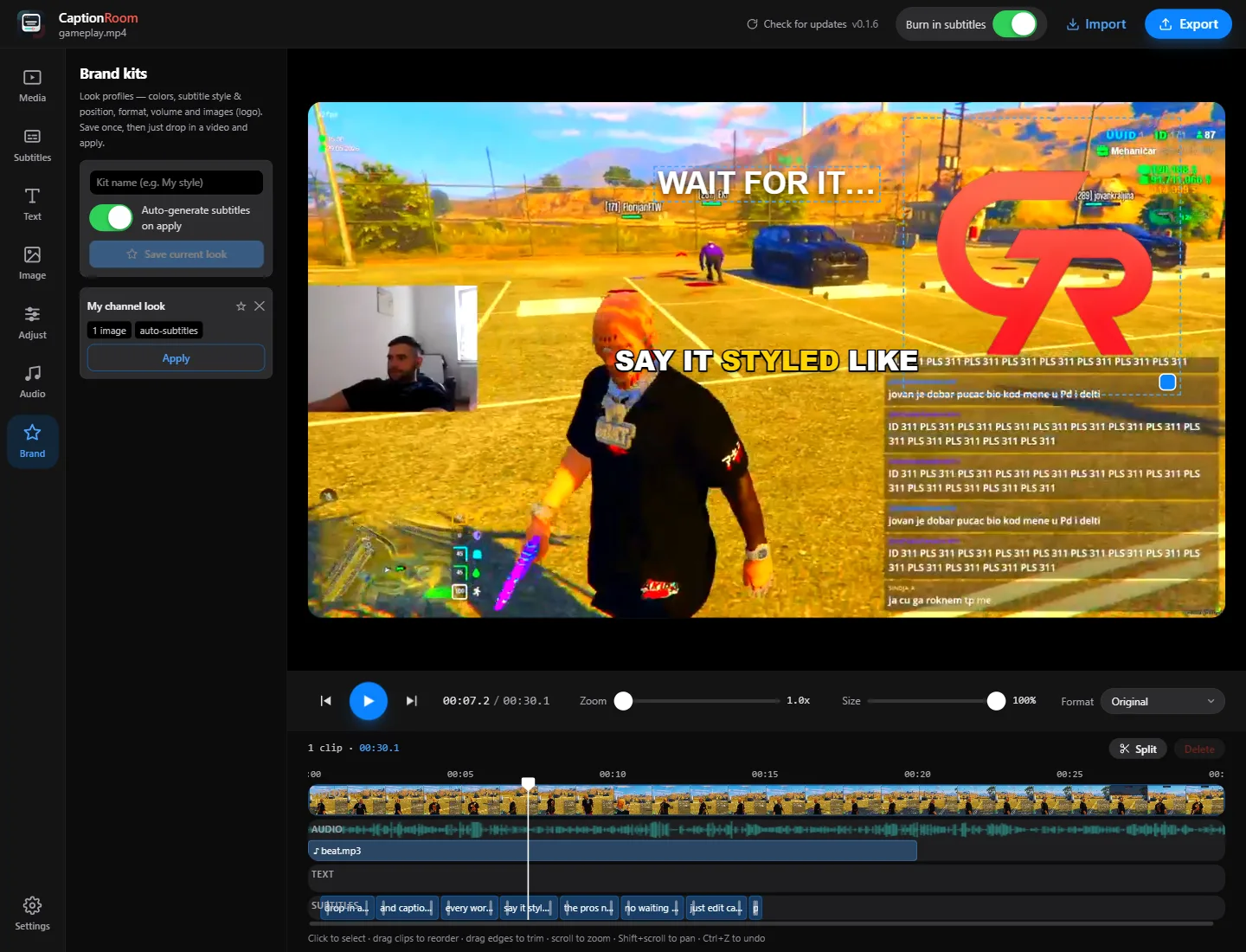
Word-timed captions in one click
The AI transcribes every word with exact timing, in 99+ languages. Edit any line, set words per caption, pick one of seven styles, and drag the captions anywhere on the frame. AI captions are Pro; manual captions are free.
A full editor, built around the caption.
Captions are the headline act, but the rail next to them holds a whole edit suite. Every picture here is cut from a screenshot of the editor. Everything is free unless it says Pro.
One-click AI captionsPro
Caption Room listens to your clip and writes every word with precise timing, in the language you actually filmed in. Croatian, Spanish, Hindi, English: the AI understands 99+ languages, where most caption tools only really work in English.
You get an editable transcript and burned-in karaoke captions. Fix a word, drag them anywhere on the frame, set how many words show at once. Done.
- 99+ languages
- Word-timed karaoke
- Editable transcript
- Seven styles
Renders in your browser
Your own GPU does the trims and exports, right in the tab. No upload, no render queue, no watermark.
Cut the dead air
Split the clip under the playhead, delete the boring part, and the export stitches the keepers together seamlessly.
Music and voiceover
Drop audio tracks under the clip, trim them on the timeline and balance every track with per-clip volume.
Grade the colour
Brightness, contrast, saturation, sharpness. Dial it in live, and the export burns in the exact same grade.
Translate any languagePro
Turn captions into any language in a click, then post the same clip to every audience.
Private by design
Your video never leaves your device. To caption, only the extracted audio is sent over HTTPS, processed and not stored.
Brand kitsPro
Save your colours, caption style and logo once and apply them to every project so all your clips look like yours.
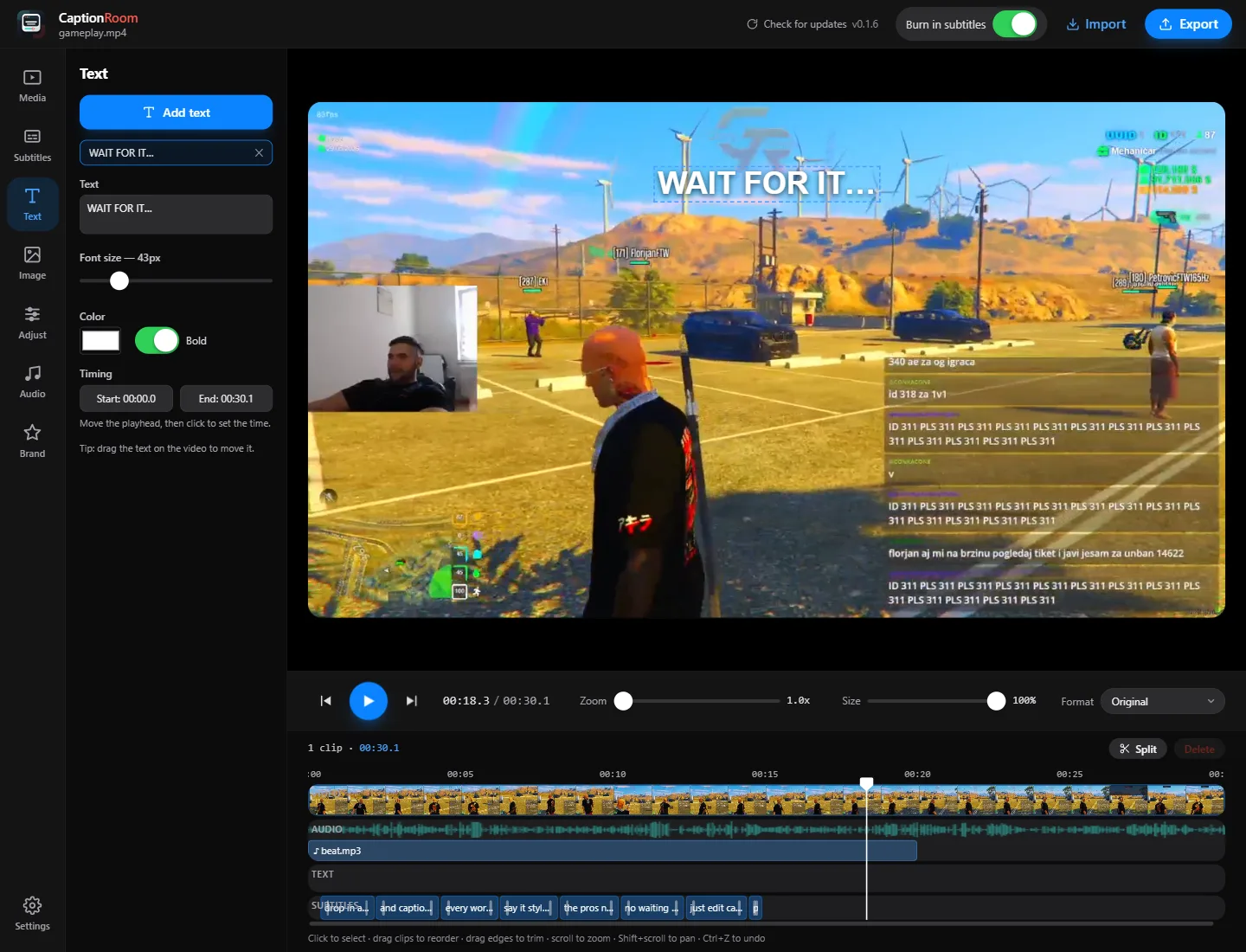
Layer anything
Text titles, logo and sticker images, a second picture-in-picture video. Even the main clip is a free layer you can shrink and move.
Nothing to install
Open app.captionroom.app and you are editing. Every visit is the newest version, and your projects are waiting in the same browser next time.
Pick a look. What you see is what you export.
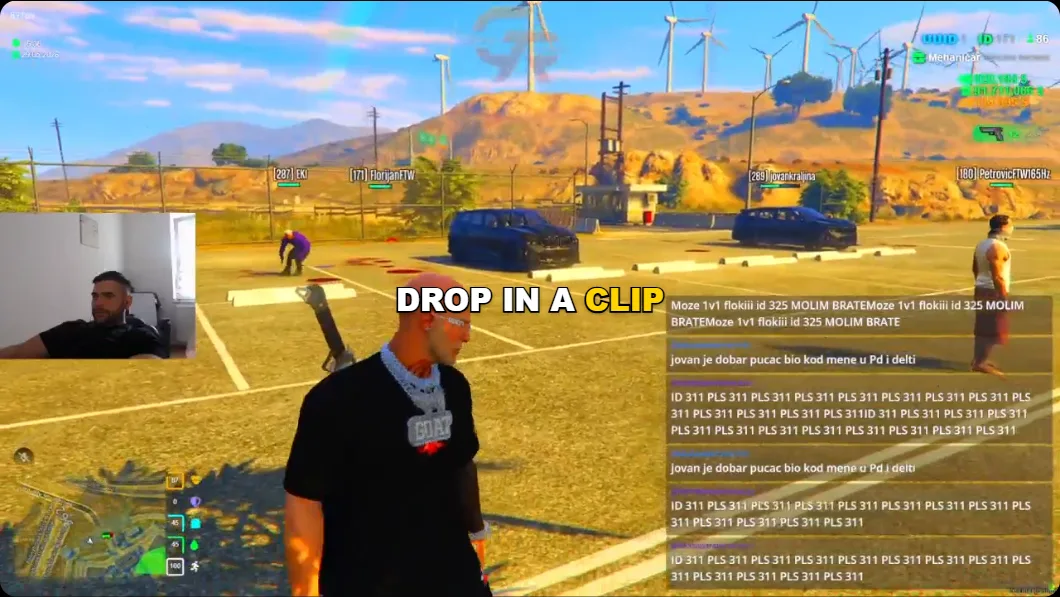
Seven caption styles, each rendered here by the editor's own caption engine over real footage. Classic and Minimal are free; Pro unlocks all seven.
- ClassicFree
Clean white with a gold karaoke sweep. The safe default that always lands.
- BubblePro
Soft violet pop on a deep outline — playful, friendly, scroll-stopping.
- BoxedPro
Solid block behind every line. Maximum legibility over any footage.
- NeonPro
Electric green with a dark halo. For gaming, hype, and night scenes.
- MinimalFree
Quiet sentence case with a single red accent. Editorial and understated.
- PopPro
Every caption springs in and the spoken word grows. Cyan, loud, energetic.
- FadePro
Bold sentence case that fades in with an amber sweep. Calm and cinematic.
One clip. Every layout. Every platform.
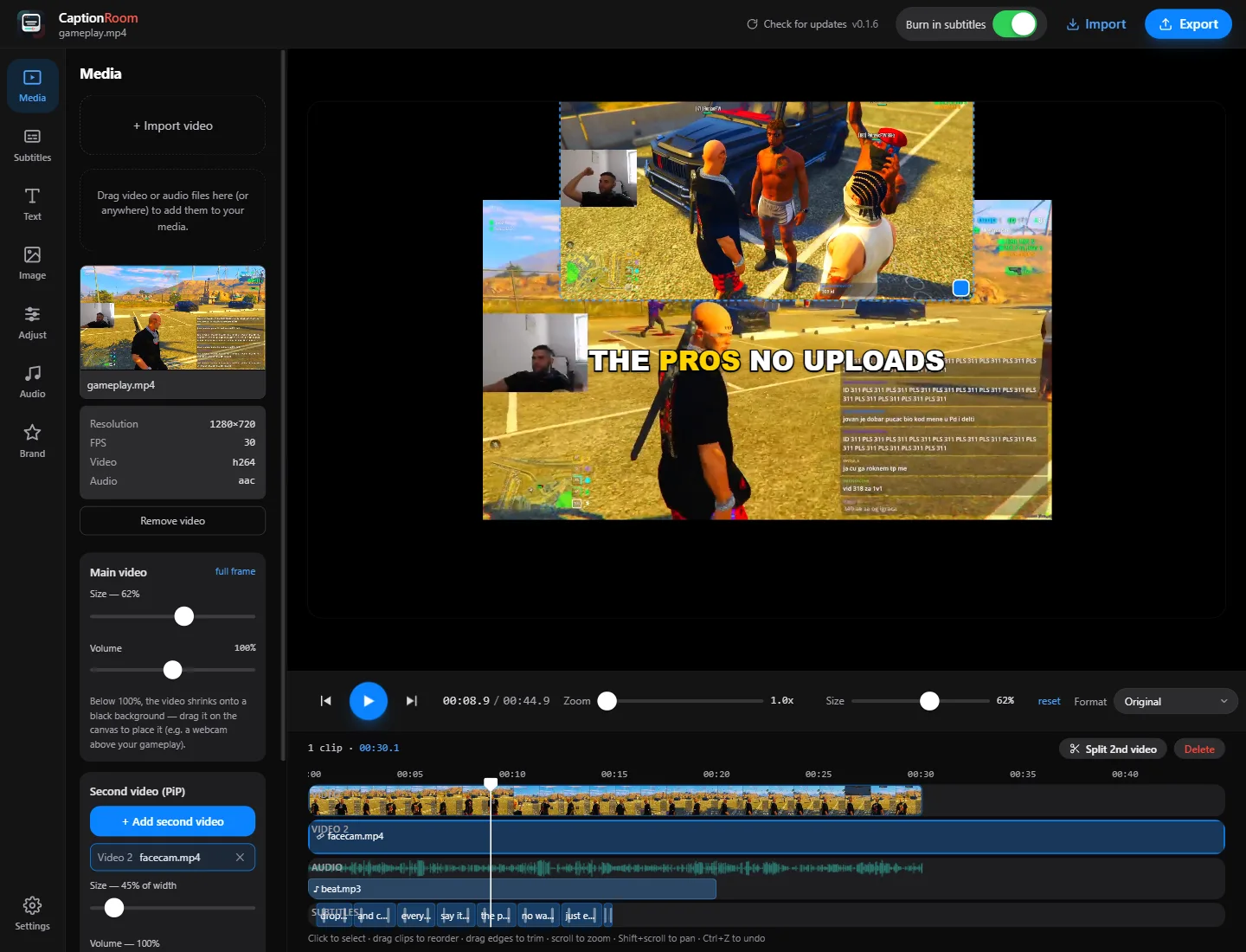
Stack videos like layers, then reframe the same edit for any feed. Every picture here is a capture of the editor's own preview canvas.
Stack the shot
The main video is a layer too — shrink it, move it, put a second video on top.
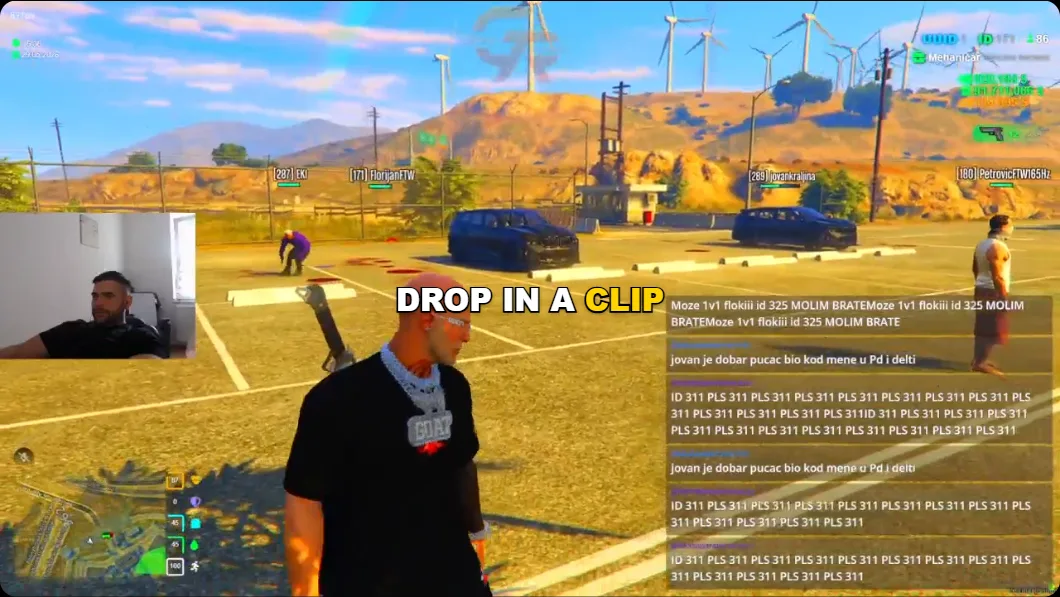
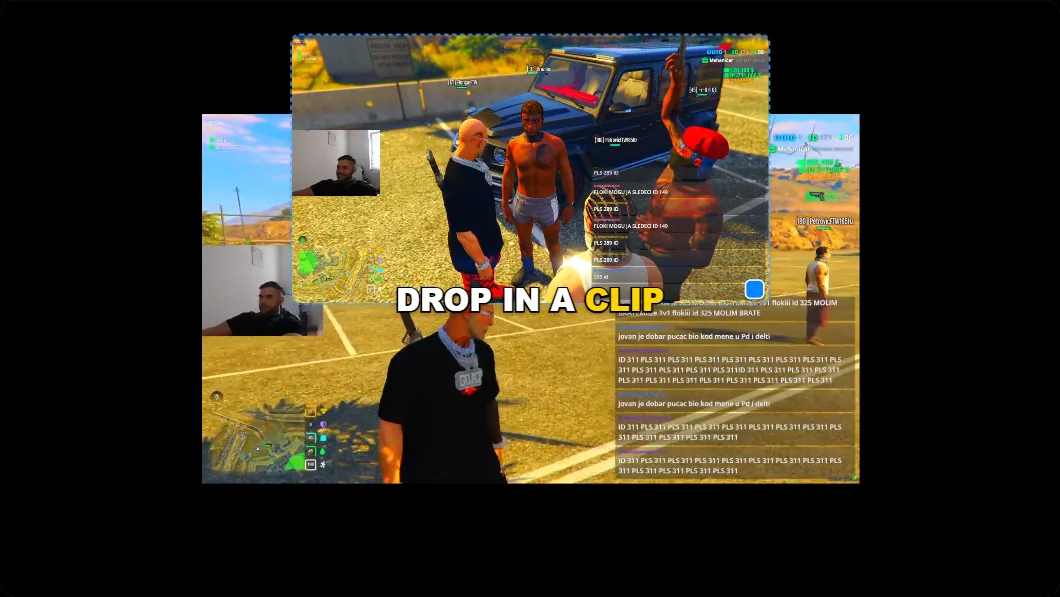
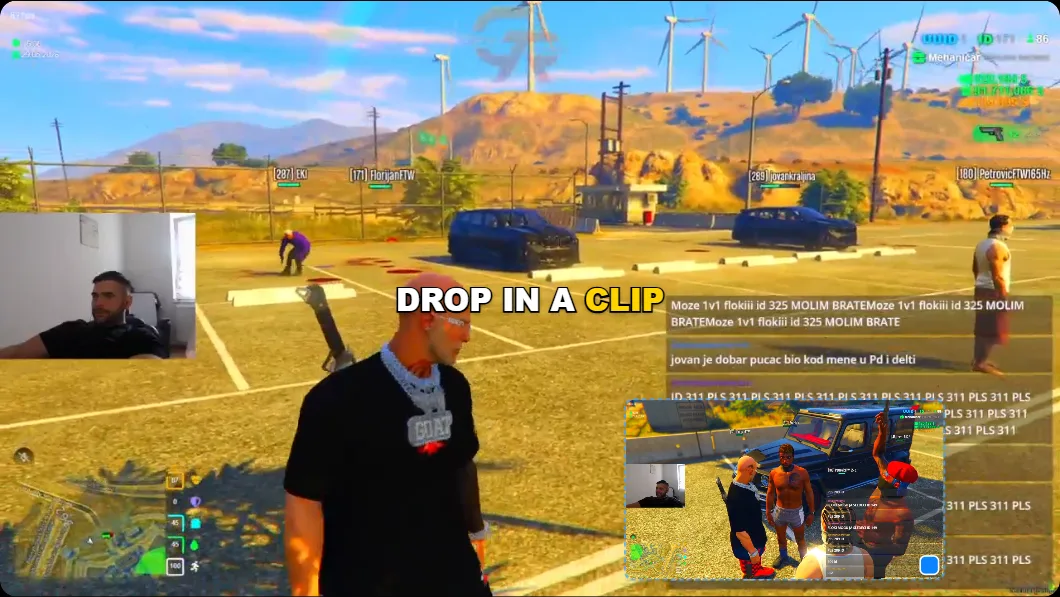
Shrink the main video into a layer, drop your cam above it.
Reframe for the feed
Pick the platform — the export crops to fit, captions stay centred.
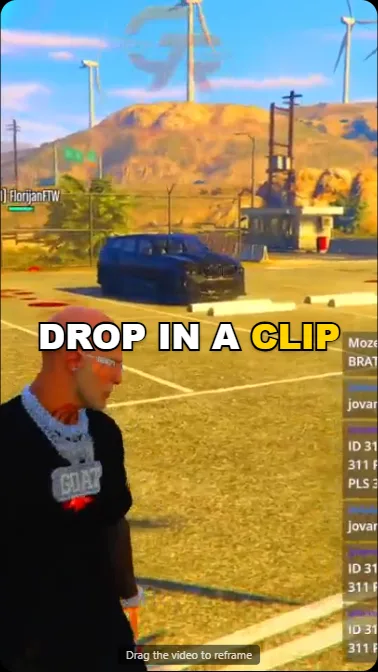


TikTok, Reels and Shorts
- Pan & zoom the crop
- Burn-in captions or a clean .srt
- No watermark, ever
Why not just use CapCut?
Because your edit shouldn't live in someone else's render queue. Caption Room runs in a browser tab too, but the work happens on your machine. Here is how it compares to CapCut, Veed, Submagic and the other cloud caption tools.
Competitor notes describe typical free plans of cloud-based caption editors as of 2026 and can vary by product and tier. Read the full CapCut comparison.
Faster than installing an editor.
From a raw clip to a posted short in three steps, all inside one browser tab.
- 1Import
Open a tab, drop in your clip
Go to app.captionroom.app and import any MP4 or MOV. The browser reads it on your device: resolution, fps, codec, audio. No upload, no waiting.
- 2Caption
Generate and style captions
One click writes every word, perfectly timed, in 99+ languages. Pick from seven styles, tweak any line, translate, or auto-write your title and hashtags.
- 3Export
Trim, then export
Cut the dead air, then export with captions burned in, rendered right in the tab, or save a clean .srt. Post to TikTok, Reels and Shorts.
The transcript becomes your whole post.
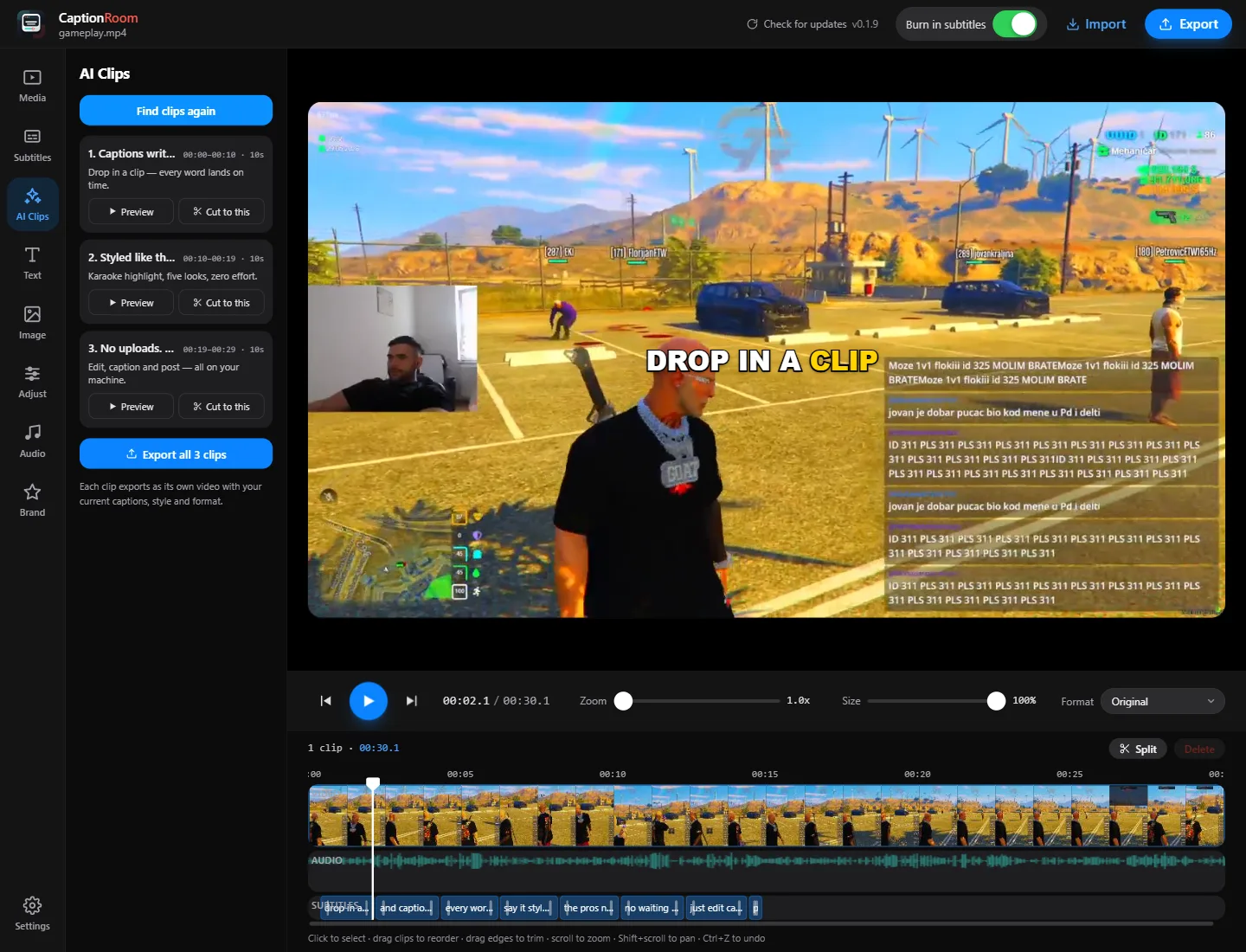
Once Caption Room knows what was said, it can do the busywork around the upload — find the moments worth posting, translate for new audiences, tidy the text, and write the caption box for you. No API keys to manage — Caption Room runs the AI for you, and only the caption text is ever sent; your video stays in the tab.
AI Clips
Finds the most shareable moments in your video and exports each as its own captioned short — title and hook included.
One video in, five shorts out
Translate
Rewrite every caption into another language while keeping the timing intact.
Any language to any language
Clean up
Strip filler words and fix transcription noise so captions read clean.
Um, uh and like, gone
Title + hashtags
Generate a hook title, a short description, and hashtags from the transcript.
One click, copy, post
Questions, answered.
Is Caption Room really a free video editor?
Yes. The timeline editor — cutting, layers, text and image overlays, music, colour tools and 1080p export — is free forever, with no watermark. Pro adds the AI features.
How do I add captions to a video?
Drop your video on the timeline and type captions in the free editor, or let Pro’s AI listen once and time every word for you. Pick a style and export — the captions are burned in exactly as you see them.
What languages do the AI captions support?
99+ languages. Film in Croatian, Spanish, Hindi or almost any other language and the AI returns word-perfect captions in it — and can translate them too.
Do my videos get uploaded anywhere?
No. Editing and export happen inside your browser, on your own device. If you use AI captions, only a compact audio track is sent to be transcribed — the video itself never leaves your machine.
Do I need to install anything?
No. Caption Room runs at app.captionroom.app in Chrome, Edge, Brave or Arc on Windows, Mac, Linux and ChromeOS. Open the tab, sign in with a free account, and you are editing — every visit is the latest version.
Does Caption Room watermark my exports?
Never — not on the free plan, not anywhere.
Is Caption Room a good CapCut alternative for captions?
If you want karaoke captions without a render queue, a watermark or an upload, yes — Caption Room edits and exports on your own hardware, from a browser tab. See the full comparison above.
Make your next clip impossible to scroll past.
A fast editor that opens in a browser tab and is free to edit with, and AI captions in 99+ languages on Pro. Open it, sign in with a free account, and post your next clip today.
Free. Runs in Chrome, Edge, Brave or Arc. Nothing to install.
- Nothing to install
- Free to start
- Always up to date
- No watermarks
Works in Chrome, Edge, Brave or Arc on Windows, Mac, Linux and ChromeOS. There is no installer and no update to run. Every visit opens the newest version, and a free Caption Room account is all you need.